Author: Adam Lang

Kiosk

How Automation Reduces Grain Accounting Reconciliation Time

TL;DR: Automation reduces grain accounting reconciliation time by eliminating manual data entry, connecting scale data directly to accounting systems, and ensuring real-time synchronization across inventory, ticketing, and financial reporting platforms. When systems are integrated and data is captured accurately at the source, reconciliation shifts from a reactive process to a continuous, automated workflow.

How Automations Reduces Grain Accounting Reconciliation

Grain accounting reconciliation is one of the most resource-intensive and time-consuming processes within grain operations. It requires aligning physical grain movement with digital records across multiple systems, including scale tickets, inventory balances, contracts, and financial reporting.

In traditional environments, this process is inherently reactive. Teams collect data from different systems, identify discrepancies, and manually resolve inconsistencies. As transaction volume increases, this workload scales non-linearly, often turning reconciliation into a multi-day or even multi-week effort.

Automation fundamentally changes this dynamic. Instead of correcting errors after they occur, automated systems prevent inconsistencies from being introduced in the first place. The result is not just faster reconciliation—it is a reduction in the need for reconciliation altogether.

Learn how grain scale ticketing improves data accuracy at the source.

What Is Grain Accounting Reconciliation?

Grain accounting reconciliation is the process of verifying that all operational and financial records align with actual grain movement. This includes confirming that every inbound and outbound transaction is accurately reflected across systems such as scale ticketing, inventory management, contract fulfillment, and financial reporting.

In practice, reconciliation requires validating that data flows consistently from the moment grain is weighed at the scale through to its final representation in accounting systems. Any breakdown in this chain creates discrepancies that must be identified and resolved.

Core Components of Reconciliation

  • Scale tickets
  • Inventory movements
  • Contract deliveries
  • Customer settlements
  • General ledger entries

Where Breakdowns Typically Occur

Discrepancies most often originate from delayed data entry, duplicate inputs, or mismatched system records. Once introduced, these issues propagate across systems, increasing the complexity of reconciliation and extending resolution time.

Why Reconciliation Takes So Long in Manual Systems

Manual environments create multiple layers of inefficiency that compound over time, especially as transaction volume increases. The lack of synchronization between systems forces teams to rely on manual processes to align data after the fact.

Primary Drivers of Delay

Manual data entry across multiple systems introduces inconsistencies that must later be identified and corrected. At the same time, delayed data availability prevents accounting teams from accessing real-time information, creating a lag between operational activity and financial visibility.

Without system integration, teams must also manually match scale tickets, inventory records, and accounting entries. This process is inherently slow, increases the likelihood of human error, and becomes increasingly difficult to manage as transaction volume grows.

How Automation Eliminates Reconciliation Bottlenecks

Automation addresses reconciliation challenges at their source by ensuring that all systems receive accurate, synchronized data from the moment a transaction occurs. This eliminates duplicate entry and reduces the need for downstream correction.

Real-Time Data Capture at the Scale

Automation begins at the scale, where data is captured directly from equipment and transmitted instantly into connected systems. This removes delays and ensures that every transaction starts with accurate, reliable data.

ScaleTrac enables this direct connection between scale hardware and operational systems, eliminating manual entry at the point of origin.

Automated Ticketing and Standardization

Each transaction generates a standardized digital ticket, ensuring consistency across all systems. This reduces ambiguity, eliminates formatting discrepancies, and improves downstream processing accuracy.

System-Wide Data Synchronization

Captured data flows automatically into inventory, contract, and accounting systems through grain software integrations. This creates a unified data environment where all departments operate from the same real-time information.

The Direct Impact on Accounting Reconciliation Time

When data is accurate and synchronized at the source, reconciliation becomes significantly faster because the need for correction is minimized. Instead of identifying and fixing discrepancies, accounting teams validate already-aligned data.

Operational Improvements

Automation enables faster daily and monthly close cycles, reduces the number of manual adjustments required, and improves overall audit readiness. These efficiencies allow accounting teams to focus on higher-value tasks rather than repetitive data correction.

Facilities using grain accounting software benefit from consistent and reliable financial records that are aligned with operational data.

Inventory Alignment as a Critical Component of Reconciliation

Reconciliation depends heavily on accurate inventory data. When inventory systems are not updated in real time, discrepancies between physical and recorded grain levels can occur.

Real-Time Inventory Synchronization

Each scale transaction updates inventory instantly, maintaining alignment between operations and accounting. This reduces lag and improves visibility into current stock levels.

Facilities using grain inventory management software benefit from this level of accuracy and control.

Reducing Shrink and Variance

Consistent data across systems minimizes discrepancies between physical inventory and recorded balances. This reduces shrink-related issues and simplifies reconciliation efforts.

The Role of Reporting in Accelerating Reconciliation

Visibility is essential for reducing reconciliation time. Without real-time insight, teams rely on outdated data, increasing delays and the likelihood of errors.

Real-Time Reporting

Grain reporting software provides immediate access to transaction data, allowing teams to monitor activity as it happens and identify issues early.

Exception-Based Workflows

Instead of reviewing every transaction, teams can focus only on anomalies or exceptions. This targeted approach significantly reduces workload and improves efficiency.

Why Scale Data Quality Determines Reconciliation Speed

The quality of data captured at the scale determines the speed and accuracy of reconciliation. Errors introduced at this stage propagate across all downstream systems.

Key Risk Factors

High transaction volume, manual entry errors, and disconnected systems all contribute to increased reconciliation complexity. Automation reduces these risks by ensuring consistent and accurate data capture at the source.

Integrated Systems Eliminate the Need for Traditional Reconciliation

The most effective way to reduce reconciliation time is to eliminate the conditions that require it. System integration ensures that all operational and financial platforms operate from a shared dataset.

Unified Platforms

GrainTrac and Ceres connect scale, inventory, and accounting systems into a single workflow.

Single Source of Truth

When all systems rely on the same real-time data, discrepancies are minimized and reconciliation becomes largely automated.

When Automation Becomes Operationally Necessary

As operations scale, manual reconciliation becomes unsustainable. Increased transaction volume and system complexity require automated workflows to maintain efficiency and accuracy.

Common Triggers for Automation

High transaction volume, multiple disconnected systems, and tight reporting timelines all signal the need for automation. These factors increase the burden on accounting teams and make manual processes impractical.

Reducing Reconciliation From Days to Hours

Automation transforms reconciliation by eliminating manual processes and ensuring that data is already aligned. This reduces reconciliation time from days or weeks to hours and improves overall operational efficiency.

Building a Fully Automated Grain Accounting Workflow

Achieving this level of efficiency requires eliminating manual entry, enabling real-time data flow, and integrating all operational systems into a unified workflow.

Vertical Software supports this through automation systems including ScaleTrac and GrainTrac. Learn more about automation systems or Contact Vertical Software today!

Unattended Scale Ticketing

Real-Time Scale Data for Grain Receiving Accuracy

TL;DR: Real-time scale data captures and distributes weight and transaction information instantly across systems. This eliminates manual entry, reduces errors, and ensures that inventory, ticketing, and accounting remain accurate and aligned during grain receiving.

Grain receiving is a high-speed, high-volume process where accuracy depends on how data is captured and managed at the scale. Every load that enters a facility must be recorded correctly, not just for operational tracking, but for inventory, contracts, and financial reporting.

How Real-Time Scale Data Improves Grain Receiving Accuracy

In many facilities, the biggest source of error is not the scale itself—it is how the data is handled after the weight is captured. Real-time scale data changes this by ensuring that information flows immediately and accurately across all systems. Learn how grain scale ticketing supports accurate data capture.

What Is Real-Time Scale Data?

Real-time scale data refers to the immediate capture and distribution of weight and transaction information as it is recorded at the scale.

Instead of relying on delayed entry or batch updates, data is processed and shared instantly with connected systems.

This is typically enabled through scale automation systems and integrated platforms like ScaleTrac.

Where Grain Receiving Errors Typically Occur

Even with accurate scales, errors often occur in how data is recorded, transferred, or interpreted.

Manual Data Entry

When operators manually input weight or transaction details, there is a high risk of mistakes. These errors can include:

  • Incorrect weights
  • Wrong customer or contract assignment
  • Duplicate or missing entries

Delayed Data Updates

In some systems, data is not updated immediately. This delay creates gaps between what is happening operationally and what is reflected in the system.

Disconnected Systems

When ticketing, inventory, and accounting systems are not integrated, data must be transferred manually between them. This increases the likelihood of discrepancies.

How Real-Time Data Improves Accuracy

Real-time scale data addresses these issues by capturing and distributing information at the source.

Direct Data Capture from the Scale

Weight data is pulled directly from the scale and recorded automatically. This eliminates manual entry and ensures consistency.

Immediate System Updates

As soon as a transaction is completed, it updates inventory, contracts, and accounting systems in real time.

This is made possible through grain software integrations that connect operational systems.

Consistent Data Across Systems

Because all systems receive the same data at the same time, there is no mismatch between records.

The Impact on Grain Inventory Accuracy

Real-Time Inventory Updates

Each transaction updates inventory immediately, ensuring that stock levels reflect actual conditions.

Facilities using grain inventory management software benefit from accurate, up-to-date inventory visibility.

Reduced Shrink and Discrepancies

When data is consistent and timely, discrepancies between physical inventory and system records are reduced.

Improving Grain Accounting Accuracy

Inventory accuracy depends on precise tracking of every inbound and outbound load. Accounting systems rely on accurate transaction data from the scale.

Eliminating Data Gaps

Real-time data ensures that every transaction is recorded and transferred without delay.

Faster Reconciliation

When accounting systems receive accurate data from the start, reconciliation becomes faster and more efficient.

Integration with grain accounting software ensures financial records align with operational activity.

Enhancing Throughput Without Sacrificing Accuracy

Speed and accuracy are often seen as trade-offs in grain receiving, but real-time data enables both.

Faster Transaction Processing

Automated data capture reduces the time required to process each load, increasing throughput.

Fewer Errors at Higher Volumes

As volume increases, manual systems tend to produce more errors. Real-time data maintains accuracy even under heavy load.

The Role of Reporting and Visibility

Real-time data not only improves accuracy but also enhances visibility across operations.

Operational Insights

Facilities can monitor receiving activity, track performance, and identify issues as they occur.

Using grain reporting software, operators gain access to real-time analytics and performance data.

Better Decision-Making

Accurate, real-time information allows managers to make informed decisions about inventory, logistics, and resource allocation.

Connecting the Entire Grain Receiving Process

Real-time scale data is most effective when it is part of a fully connected system.

Integration Across Systems

From ticketing to inventory to accounting, all systems must be connected to ensure seamless data flow.

Platforms like GrainTrac and Ceres provide this level of integration.

End-to-End Data Consistency

When systems are integrated, data captured at the scale flows through the entire operation without interruption.

When Real-Time Scale Data Becomes Essential

Some facilities can operate with delayed or manual data processes, but as complexity increases, real-time data becomes critical.

High-Volume Operations

Facilities handling large numbers of transactions require real-time accuracy to maintain control.

Multi-System Environments

Operations that rely on multiple systems benefit from real-time integration to prevent data silos.

Tight Margins and Compliance Requirements

Accurate data is essential for financial reporting and regulatory compliance.

Building a More Accurate Grain Receiving Operation

Improving grain receiving accuracy starts at the scale.

By implementing real-time data capture and integrating systems, facilities can reduce errors, improve efficiency, and maintain consistent records across operations.

Vertical Software supports this through solutions like ScaleTrac, GrainTrac, and integrated automation systems.

Learn more about scale automation systems

Contact Vertical Software

Book Demo

Automated Grain Receiving Workflows at Elevators, Feedmills, and Ethanol Plants

Grain receiving is one of the most critical operational intersections for grain elevators, feedmills, and ethanol plants. Facilities face daily pressure to move trucks quickly, capture accurate data, and minimize errors.

Modern facilities are adopting automated grain receiving workflows that reduce manual tasks, increase throughput, and improve the reliability of data flows into inventory and accounting systems.

This guide explains how automated workflows differ from manual processes and how facilities are implementing them to improve operations.

The Traditional Grain Receiving Process

In a traditional grain receiving workflow vehicles arrive at the scale, drivers check in, and operators manually record weights and ticket data. This process typically involves:

  • Manual check-in at the scale house
  • Paper ticket creation
  • Handwritten or manually entered data
  • Staff involvement at every step

While this approach works for low volume operations, higher volume or multi-location facilities often see bottlenecks. Manual steps increase the chance of errors in data entry, require more labor, and slow down throughput during peak seasons.

What Automated Grain Receiving Looks Like

Automated grain receiving workflows replace manual transactions with system-driven processes that handle:

  • Driver identification
  • Weight capture
  • Scale ticket generation
  • Data transmission to backend systems

Automation often begins with tools that can capture scale information accurately and electronically. When this data flows directly into connected systems it reduces redundancy, saves time, and improves accuracy.

Automating these workflows supports facilities of all sizes and can link grain receiving to reporting, accounting, and inventory processes. For more on tracking inventory seamlessly after receiving see Grain Inventory Management Software.

Key Elements of Automated Workflows

Automated receiving workflows can include a combination of tools and processes such as:

Driver Identification
Systems can identify drivers automatically using tools like RFID or barcode scanning which allows them to move through the receiving process with fewer manual steps.

Electronic Scale Captures
Automated systems capture weight data directly from scales without requiring operators to enter values manually.

Instant Ticket Generation
Once weight and driver details are recorded, the workflow creates digital scale tickets that feed into other systems automatically.

Integration With Other Systems
Automated workflows connect scale captures to inventory, reporting, and accounting systems so that physical movements link directly to records.

These elements reduce the delays associated with manual capture and ensure data flows from the point of capture to operational systems with minimal human intervention.

Automation in Different Facility Types

Automated grain receiving workflows are implemented differently depending on facility type because each environment has unique operational patterns.

Grain Elevators
Grain elevators often have high volumes of inbound trucks during harvest. Automation helps by:

  • Reducing queues during peak times
  • Providing consistent processes regardless of staffing
  • Improving accuracy of weight and delivery records

Elevators benefit when workflows link scale captures to ticketing, inventory systems, and reporting tools seamlessly.

Feedmills
Feedmills receive grain that must quickly enter production or storage. Automated workflows help feedmills by:

  • Reducing the need for manual entry during busy production windows
  • Helping maintain accurate ingredient inventory records
  • Ensuring scale captures flow into production planning systems

Automation also supports traceability which is important for feed quality and compliance.

Ethanol Plants
Ethanol plants face continuous receiving flows and need accurate data for production planning and accounting. Automated grain receiving workflows help by:

  • Capturing weight and delivery details reliably
  • Feeding data into production and accounting systems in real time
  • Reducing disruption from manual entry work

Ethanol plants often rely on automated processes to support reporting and financial reconciliation.

Operational Benefits of Automated Workflows

Facilities that adopt automated grain receiving workflows typically see improvements in:

Throughput
Automated workflows process more trucks faster because routine steps are handled by systems instead of people.

Accuracy
Reducing manual entry decreases the risk of errors in weight, driver information, and ticket data.

Labor Utilization
Automation reduces the need for staff to perform repetitive tasks and allows them to focus on exceptions and higher value work.

Consistency
Workflows execute the same steps every time which helps standardize operations across shifts and locations.

Combined, these benefits help facilities manage their operations more effectively and reduce the time between physical movements and usable data.

Challenges When Implementing Automation

While the benefits are clear, there are considerations when adopting automated grain receiving workflows:

Connectivity
Systems need reliable networking so that data captured at the scales flows into backend systems without interruption.

Training
Staff need to understand new workflows and how to troubleshoot automated systems when exceptions occur.

Change Management
Facilities must plan for a transition period where automated and manual processes might coexist.

Understanding these challenges upfront can help facilities adopt automation more successfully and avoid unforeseen disruptions.

The Future of Grain Receiving Workflows

As grain operations continue to evolve, the push toward automation is expected to grow. Facilities of all sizes are looking for ways to operate more efficiently while reducing errors and data lag.

Automated grain receiving workflows play an important role in this future by linking physical movements to systems like inventory and accounting. For more on how automated receiving connects with broader operational systems, explore Grain Accounting Software and Grain Reporting Software.

When you want to explore how these workflows can fit your facility or discuss implementation approaches, visit our contact page.

Automation

What Is Grain Facility Automation? A Complete Guide for Modern Grain Operations

Grain facilities today are exploring new ways to improve efficiency, accuracy, and throughput while dealing with labor constraints and higher operational demands. One of the most transformative changes in the industry is grain facility automation.

This guide explains what grain facility automation means for modern grain operations, how it works in practice, and the key benefits facilities can see when they adopt automated tools and workflows.

Defining Grain Facility Automation

Grain facility automation refers to systems and processes that reduce manual tasks and human intervention throughout grain receiving, weighing, recording, and reporting processes. These solutions can improve operational consistency, reduce errors, and make data available in real time.

Automation in grain operations includes technologies such as unattended scale systems, electronic data capture, programmatic workflows, and seamless integration between key systems.

For a broader view of how modern grain software supports these tools see the Features page.

How Automation Works in Grain Operations

Automation in grain facilities replaces routine manual steps with programmed processes. Some of the key elements include:

Automated scale ticketing
Automated systems capture weight, vehicle, and transaction data without requiring manual ticket writing or data entry.

Driver check-in systems
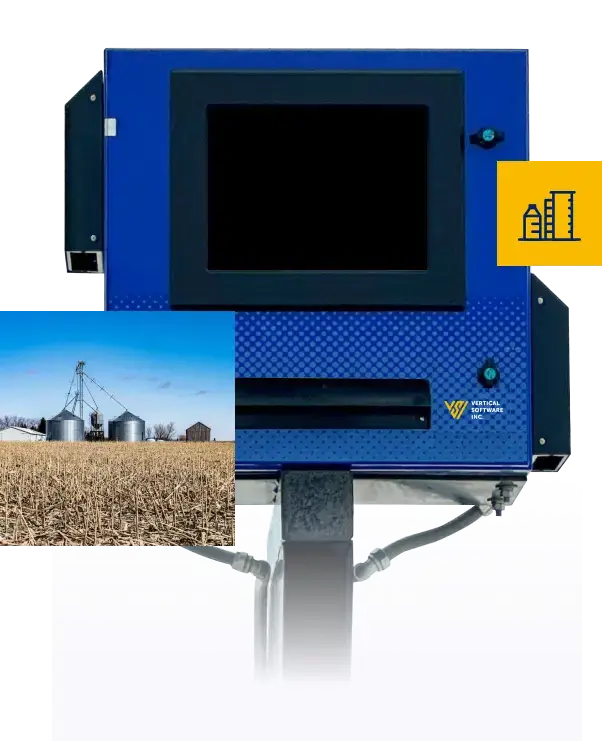
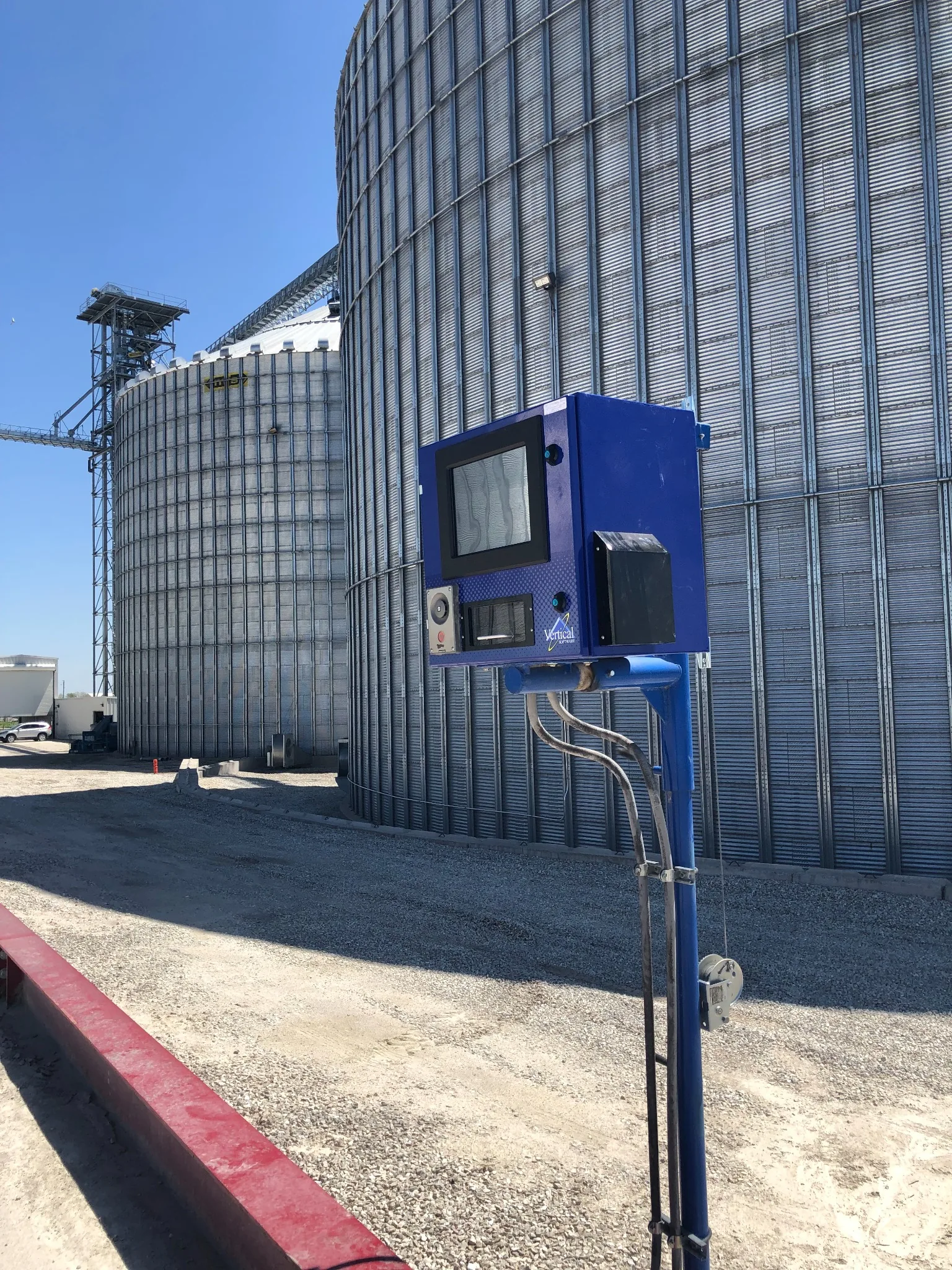
Tools such as kiosks and RFID scanning help drivers confirm identity and complete check-in without waiting for staff assistance.

Real-time data integration
Automated data flows connect scale systems to accounting, reporting, and inventory systems so that information moves once instead of being reentered.

These automated flows reduce redundant tasks and promote consistent data across operational systems.

Unattended Scale Systems in Grain Automation

Unattended scale systems are central to many automation strategies. These systems allow grain facilities to process scale transactions without on-site staff at every weigh station. Unattended machines typically handle:

  • Weight capture
  • Vehicle identification
  • Ticket printing
  • Data transmission to backend systems

This type of automation improves the pace of grain receiving and supports continuous operations during peak periods.

Learn more about this model on the Unattended Grain Scale Ticketing page.

Why Grain Facility Automation Matters

Grain facility automation drives value in several areas:

Increased throughput
Facilities can handle more trucks in less time because routine tasks no longer require manual execution.

Improved accuracy
Electronic capture of scale, delivery, and driver data reduces the potential for human error.

Better data flow
Real-time integration with accounting and inventory systems reduces delays and supports more informed decision making.

Using these tools in combination can lead to smoother harvest operations and fewer manual touch points.

Integration With Core Grain Workflows

Automation does not operate independently. It supports and enhances core grain workflows related to:

  • Scale ticketing including both attended and unattended systems
  • Accounting where transaction accuracy matters
  • Reporting so that operations can be monitored and analyzed
  • Inventory management across bins and locations

This integrated approach results in a more connected facility where data flows seamlessly from capture to use.

For additional context, explore the Grain Accounting Software page and the Grain Reporting Software page.

Operational Benefits of Automation

Facilities adopting automation consistently report several operational improvements:

Faster receiving lines
Drivers spend less time waiting and more time moving through the system.

Lower labor burden
Staff can focus on exception management and higher value tasks rather than routine data entry.

Consistent procedures
Automated systems perform the same steps every time which promotes predictability and reliability.

These benefits help facilities respond to seasonal peaks and daily fluctuations more effectively.

Challenges and Considerations

While automation offers many benefits, adopting these tools also involves thoughtful planning:

Connectivity requirements
Automation relies on stable networks so data can flow across systems.

Change management
Staff may need guidance to adapt to new procedures and technologies.

Infrastructure upgrades
Some facilities may need hardware updates to support modern automation tools.

Understanding these considerations up front helps ensure a smoother transition and adoption.

Making the Most of Automation

To get the highest value from automation, facilities should:

  • Map current workflows before making changes
  • Identify bottlenecks where automation adds the most value
  • Ensure integrations exist between systems such as accounting and reporting
  • Provide training and documentation for staff

This approach helps facilities adopt automation thoughtfully and get the most benefit from the investment.

The Future of Grain Facility Automation

Automation continues to evolve as technology advances. Facilities that adopt automation early may see long-term advantages as industry standards shift toward real-time data, connected workflows, and reduced manual touch points.

For more on how automation fits within a complete grain software ecosystem explore Automation and consider how these capabilities can support your operational goals.

If you would like to learn more about automation strategies or discuss how these systems can complement your existing tools visit our contact page.

How to Choose Grain Accounting Software

Selecting the right grain accounting software is an important decision for facilities that want to improve accuracy, streamline workflows, and reduce manual work. The decision can influence financial reporting, daily position tracking, reconciliation, and how your team manages contracts and inventory.

This guide explains how to choose grain accounting software by focusing on the features and capabilities that matter most to operators, accountants, and IT professionals.

Understand Your Facility’s Needs

Before evaluating any software, take time to understand your facility requirements. Consider questions such as:

  • What accounting processes are manual today?
  • What systems are you trying to replace or improve?
  • How many users will need access?
  • Do you have remote or multi-location requirements?

Knowing your current challenges and future goals will help you match priorities with software features. This preparation can also make conversations with vendors more productive.

Core Features to Evaluate

Not all grain accounting systems are the same. Some focus on basic record keeping while others provide deep integration into scale ticketing and reporting workflows. When evaluating solutions look for the following capabilities:

Daily Position Reporting
Accurate daily position reporting gives facilities real time visibility into inventory, contracts, and balances at the end of each day.

Reconciliation Tools
Reconciliation ensures that financial records match physical movements. Look for software that reduces manual reconciliation work.

Accounts Payable and Receivable Support
Software should help manage settlements, producer settlements, and vendor payments.

Integration with Other Systems
Integration with scale ticketing, reporting, and inventory supports data accuracy and reduces double entry.

The above capabilities are hallmarks of robust grain accounting solutions. For more about these workflows and what modern systems can do look at grain accounting software.

Consider Operational Impact

Grain accounting software should support how your facility operates day to day. Ask yourself:

  • Does the solution provide real time dashboards?
  • Can it handle the volume of transactions at peak harvest?
  • Will it reduce errors and manual touch points?
  • Does it support audit trails for compliance?

Software that supports real time visibility and clear transaction flows makes it easier for staff to do their jobs. A solution that is difficult to use or slow to produce reports can create frustration and reduce confidence in the data.

Evaluate Integration Needs

Grain accounting does not operate in isolation. It must work with systems that capture data at the source. When evaluating software look at how well it connects to:

  • Grain scale ticketing systems
  • Inventory management tools
  • Reporting and analytics platforms

Tight integration can save time, reduce errors, and provide a unified view of operations. It also ensures that your accounting software reflects real world movements and balances.

Deployment and Support Considerations

Choosing the right software also means thinking about how it will be deployed and supported:

  • How will the system be installed and configured?
  • What training does the vendor provide?
  • Is there ongoing support and updates available?

Having a responsive support team and regular updates can make a big difference in long term satisfaction. Understanding these elements upfront helps you avoid surprises later.

Budget and Value Assessment

Cost is always a factor but should not be the primary decision driver. Instead consider value. Ask:

  • Will this solution reduce manual effort?
  • Will it reduce errors and improve reporting quality?
  • Does it support your long term goals?

A solution that costs more but saves time, reduces risk, and increases accuracy can offer higher overall value than a cheaper option with limited capabilities.

Making the Decision

When you combine a clear understanding of your needs with a thoughtful feature comparison and evaluation of support and deployment, you are in a strong position to select grain accounting software that will serve your facility well.

Modern solutions can deliver significant operational improvements and help teams focus on higher value work. For more context on how grain accounting fits within broader facility operations explore grain scale ticketing and grain reporting software.

Closing Thoughts

Choosing the right grain accounting software is not only about features. It is about finding a solution that fits your facility workflows, supports your team, and integrates well with the rest of your systems. By focusing on needs, integration, and long term value you can be confident in your choice.

When you are ready to learn more about how grain accounting works with other parts of your operation visit grain inventory management software or reach out via our contact page.

The ROI of Scale Automation in Grain Facilities

Grain facilities are under constant pressure to operate efficiently while maintaining accurate records and reducing costs. One of the most impactful investments a facility can make is scale automation.

Scale automation removes manual steps from grain receiving and processing which leads to measurable improvements in throughput, accuracy, labor utilization, and reporting. Understanding the return on investment (ROI) of these technologies helps facilities make decisions that support long-term success.

What Is Scale Automation

Scale automation refers to technologies that automate the scale ticketing and check-in processes at grain facilities. This can include unattended scale systems, driver check-in kiosks, RFID identification, and integrated workflows that connect scale operations to backend accounting and reporting.

For an overview of how these capabilities come together in modern operations see Automation.

Labor Savings and Increased Throughput

One of the most immediate sources of ROI for scale automation comes from labor savings. Traditional scale operations require staff to be present to:

  • Greet drivers
  • Enter data manually
  • Produce scale tickets
  • Handle exceptions and corrections

With automated scale tools these tasks are streamlined or removed. Drivers can check in through kiosks. RFID can identify vehicles automatically. Tickets are recorded digitally without manual reentry.

The result is that staff can be redirected to higher value tasks while the facility can process more trucks with the same personnel. Increased throughput directly contributes to revenue because fewer trucks are held up during peak receiving periods.

Error Reduction and Data Accuracy

Manual data entry introduces errors which can lead to issues in:

  • Ticket weights
  • Contract records
  • Inventory balances
  • Financial reconciliation

Errors require time to investigate and correct which adds indirect costs to operations. Automated scale systems capture data electronically which greatly reduces these errors.

More accurate data translates into better downstream reporting and fewer adjustments in accounting workflows. This reduces days sales outstanding and improves confidence in operational metrics.

Operational Efficiency and Consistency

Automated scale systems help facilities operate more consistently. Vendors and carriers know what to expect when they arrive and the process becomes predictable.

This consistency has benefits beyond immediate labor savings. It improves driver satisfaction and reduces the learning curve for new staff. Facilities may see fewer disruptions and smoother harvest season operations.

Automated workflows also tie into other modern systems like:

  • Grain accounting tools
  • Inventory management platforms
  • Reporting dashboards

By minimizing the time between capture and use of data, facilities can make faster decisions that improve utilization of assets.

Hard Cost Savings and Payback Period

Calculating hard cost savings involves comparing expenses before and after automation.

Consider factors such as:

  • Labor cost per shift
  • Overtime during peak periods
  • Cost of printing and handling paper tickets
  • Cost of correcting scale errors

Combine these with the estimated time savings per transaction and daily truck count to arrive at a payback period. Many facilities find that automation pays for itself within a few seasons when these savings are aggregated.

Automation also reduces risks associated with backlog and seasonality. When peak volume arrives there are fewer bottlenecks that can lead to costly delays.

Soft Benefits That Support ROI

In addition to direct cost savings, scale automation offers soft benefits that still contribute to the business. These include:

  • Better compliance with audit requirements
  • Improved reputation with customers and carriers
  • Reduced stress on staff during harvest
  • Higher operational visibility for management

While harder to quantify these benefits still matter when evaluating long-term investment decisions.

Calculating ROI for Your Facility

To evaluate scale automation for your facility start by:

  • Documenting current labor costs and scale workflows
  • Tracking delays and errors associated with manual processes
  • Estimating savings on labor and corrections after automation
  • Comparing subscription or implementation costs to annual savings

This method produces a clear picture of when automation will pay for itself and what savings can be expected over time.

Facilitating these workflows with integrated systems connects scale automation with financial and operational performance.

Conclusion

Scale automation in grain facilities yields strong ROI through labor savings, error reduction, improved throughput, and operational consistency. While the exact payback period will vary by facility, most operations experience measurable benefits that justify modernizing scale operations.

For more on how automation fits into a complete grain software ecosystem see Automation or explore related workflows such as Grain Scale Ticketing and Unattended Grain Scale Ticketing.

Cloud vs On-Premise Grain Software: Operational, IT, and Security Tradeoffs

Grain facilities today face a common decision when modernizing software: should they adopt cloud-based systems or stay with on-premise deployments? This choice isn’t just technical — it affects day-to-day operations, IT resourcing, and data security.

Understanding the tradeoffs between cloud and on-premise grain software ensures that your facility can balance agility, reliability, cost, and compliance while supporting long-term operational goals.

What We Mean by Cloud and On-Premise Grain Software

In a cloud deployment:

  • Software runs on servers hosted by a provider
  • Data and applications are accessed over the internet
  • Infrastructure is maintained by the software vendor

In an on-premise deployment:

  • Software is installed on local facility servers
  • Facility IT teams manage hardware and maintenance
  • Data resides within internal networks

Both models can support core grain workflows like scale ticketing, inventory, and accounting — but they differ significantly in how they are managed and experienced.

Operational Tradeoffs: Flexibility vs Control

Cloud-based grain software offers real-time access from anywhere and simplifies updates. This means:

  • Managers can see balances, tickets, and reports from any connected device
  • Updates and new features are delivered without scheduling downtime
  • Facilities can scale usage up or down more easily

An example of this model in practice is Ceres, a cloud platform that unifies scale ticketing, inventory, accounting, and reporting.

In contrast, on-premise systems provide facilities with more direct control over their infrastructure:

  • Configurations can be tailored to site-specific needs
  • Updates are scheduled by facility IT
  • Connectivity dependencies are reduced

Facilities that prioritize absolute control over their environment often prefer on-premise models — especially where internal networking is robust and IT teams are strong.

IT Requirements: Simplification vs Dedicated Support

Cloud solutions reduce the burden on facility IT staff by shifting maintenance responsibility to the software provider. Typical benefits include:

  • No local servers to provision, patch, or replace
  • Professional support for uptime and performance
  • Reduced need for in-house expertise on database and server administration

This model lowers operational friction and helps facilities focus technology resources on strategic tasks rather than infrastructure chores.

However, on-premise systems require:

  • Dedicated servers and backup infrastructure
  • Internal policies for disaster recovery
  • Local IT support for patches, updates, and troubleshooting

For facilities with existing IT personnel and strict internal governance, this level of involvement can be a plus rather than a burden.

Connectivity Considerations: Always On vs Local Access

Cloud deployments depend on stable internet connections. For facilities in rural or limited-connectivity areas, consistent access may be a concern. However:

  • Most cloud providers implement fail-safe caching
  • Data synchronization can occur once connections are restored
  • LTE or secondary network paths can bolster resilience

On-premise software does not rely on external internet availability for core operations. This can provide peace of mind where connectivity is intermittent or expensive. Yet, local failures still require internal troubleshooting.

Security Tradeoffs: Shared Responsibility vs Direct Control

Security is a major concern when evaluating deployment models.

Cloud systems:

  • Are built on hardened infrastructure with regular security updates
  • Provide encryption in transit and at rest
  • Delegate patching and monitoring to experts

Vendors often comply with industry standards, reducing the compliance workload for facilities.

On-premise systems:

  • Keep all data behind local firewalls
  • Allow facilities to implement custom security policies
  • Rely on internal IT to maintain up-to-date protections

This model appeals to organizations with strong internal governance and a desire to keep all systems under local control — but it also places greater responsibility on facility teams to maintain those protections.

Cost Considerations: Predictable Ongoing vs Capital Expense

Cloud software typically uses a subscription model with predictable recurring costs. This includes:

  • Hosting
  • Backups
  • Upgrades
  • Support

This approach reduces large upfront investments and spreads expense over time.

On-premise deployments often require:

  • Capital expenditures for hardware
  • Budgeting for periodic upgrades
  • Internal resource allocation for maintenance

Facilities must weigh the impact of these models on their financial planning cycles and total cost of ownership.

Choosing the Right Deployment for Your Facility

There’s no one-size-fits-all answer, but facilities should consider:

  • Operational agility: Do you need access from multiple locations?
  • IT bandwidth: Can your internal team manage servers?
  • Connectivity: Is internet access reliably available?
  • Security requirements: Do policies require full local control?
  • Budget model: Do you prefer operating expense or capital investment?

Cloud deployments like Ceres support facilities looking for integrated, always-updated software with reduced internal maintenance. On-premise may suit organizations with strong local IT and control requirements.

The Future of Grain Software Deployment

As technology evolves, cloud platforms continue to gain ground due to:

  • Rapid feature delivery
  • Scalability without internal hardware
  • Simplified compliance and security

At the same time, hybrid and on-premise deployments remain important where local control and connectivity independence are priorities.

Understanding these tradeoffs ensures that your facility’s grain software continues to support operational goals while aligning with IT strategy and risk tolerance.

For more on grain software workflows and integrated operations, explore the Ceres platform or reach out via our contact page to discuss deployment options.

Book Now

How RFID and Self-Service Kiosks Are Changing Driver Check-In and Grain Receiving

Grain facilities are under more pressure than ever to move trucks quickly, keep records accurate, and do more with fewer people on site. One of the biggest bottlenecks in that process has traditionally been driver check-in and scale operations—especially during peak harvest.

Today, RFID technology and self-service kiosks are changing how grain receiving works, helping facilities streamline operations while improving accuracy and safety.

The Traditional Driver Check-In Challenge

In a manual or semi-manual setup, driver check-in often involves:

  • Waiting in line at the scale
  • Handwritten tickets or verbal instructions
  • Manual data entry by scale operators
  • Frequent interruptions during busy receiving windows

These processes slow things down and increase the chance of errors. During high-volume periods, they can also create safety risks as drivers and staff move back and forth between trucks, scale houses, and offices.

For facilities already dealing with labor shortages, these inefficiencies can compound quickly.

What RFID and Self-Service Kiosks Change

RFID and self-service kiosks remove many of the manual steps that slow down grain receiving.

With RFID-enabled check-in, drivers are automatically identified when they arrive at the facility. Instead of stopping to speak with a scale operator, drivers can interact with a kiosk to complete check-in steps themselves.

Self-service kiosks allow drivers to:

  • Confirm their identity
  • Select delivery or pickup details
  • Follow on-screen instructions for scale entry
  • Complete transactions without staff involvement

When paired with unattended scale operations, this process keeps trucks moving while maintaining accurate records behind the scenes.

Facilities using unattended grain scale ticketing can operate around the clock without requiring staff to be present at every scale transaction.

Faster Throughput Without Sacrificing Accuracy

One of the biggest advantages of RFID and kiosk-based check-in is speed—but accuracy improves as well.

Because data is captured electronically:

  • Driver and vehicle details are consistent
  • Ticketing errors are reduced
  • Manual re-entry is eliminated
  • Inventory and accounting systems update automatically

This ties directly into grain scale ticketing workflows, ensuring weights, deliveries, and receipts are recorded correctly the first time.

For facilities managing multiple locations or high volumes, this consistency becomes increasingly important as operations scale.

Supporting Unattended and Automated Facilities

RFID and kiosks play a critical role in broader automation strategies.

They integrate seamlessly with:

Instead of being standalone tools, RFID and kiosks become part of a connected system that supports receiving, accounting, and reporting in one workflow.

This level of integration is especially valuable for:

Each of these environments benefits from faster check-in and reduced manual touchpoints.

Improving Safety at the Scale

Safety is another often overlooked benefit.

By limiting face-to-face interactions and reducing foot traffic around the scale house, RFID and kiosks help create a more controlled environment. Drivers stay in their vehicles longer, and staff spend less time managing congestion during busy periods.

Clear on-screen instructions also reduce confusion for drivers who may be unfamiliar with a facility’s layout or procedures.

A Better Experience for Drivers and Staff

From the driver’s perspective, self-service check-in is simpler and more predictable. From the facility’s perspective, it reduces interruptions and frees staff to focus on higher-value tasks.

Over time, these small improvements add up to:

  • Shorter wait times
  • Fewer errors to correct later
  • More consistent operations during peak seasons

When combined with a unified platform like Ceres, facilities gain visibility and control across every step of the grain receiving process.

Looking Ahead

RFID and self-service kiosks are no longer “nice-to-have” tools. For many grain facilities, they’re becoming essential components of modern operations.

As facilities continue to automate and look for ways to operate more efficiently with limited labor, these technologies will play an even larger role in how grain is received, tracked, and accounted for.

To learn more about how unattended scale operations fit into this workflow, explore unattended grain scale ticketing or reach out through the contact page to speak with the Vertical Software team.

Celebrating a Year of Success and Gratitude

Celebrating a Year of Success and Gratitude

Dear Vertical Family,

As we approach the end of this incredible year, we find ourselves reflecting on the journey we’ve shared with each one of you. It has been a year filled with growth, accomplishments, and memorable moments, and we wanted to take a moment to express our deepest gratitude.

A Year in Review: Achieving Together

Together, we have achieved remarkable milestones. From launching our new Web-Based ScaleTrac platform “ScaleTrac Ceres Edition” to overcoming day-to-day challenges, our collaboration has been the driving force behind our success. We take pride in the progress and the positive impact we’ve collectively created.

2023 Highlights 

Thanks to our incredible partners, customers, and our parent company, Valstone, Vertical Software has undergone significant upgrades in both software, hardware, and our overall image. Our brand-new logo stands as a testament to our commitment to innovation, and the introduction of the Web-Based Ceres edition is our way of demonstrating that we’re always striving for a fresh, forward-thinking approach.

Excitingly, we’ve welcomed 18 new customers into our family, and we’re thrilled to grow together. To enhance your experience, we’ve also launched a brand-new website, reflecting our dedication to providing an even more seamless and user-friendly interface. As your facilities evolve, so do we – our commitment is to continually improve and innovate alongside you.

Looking Forward to a Bright Future

We eagerly anticipate what the new year holds as we bid farewell to this year. Exciting projects, fresh opportunities, and continued growth are on the horizon, and we are thrilled to share these moments with you.

Stay Connected on Social Media

Connect with us on Linkedin, Instagram, X, and Facebook to stay updated on our latest news, exclusive content, and holiday festivities. We love hearing from you!

Wishing you and your loved ones a joyous New Year filled with laughter, love, and all the little things that make this time of year magical.

Thank you for being an integral part of our journey.

Warmest wishes,

Vertical Software Inc.